
My Experience with Orca: Bringing Tasks, Automations, and Projects Together
When I move between projects, task lists, and terminals, context is easy to lose: what I was working on, what needs attention next, and what has already been checked. I started using Orca to keep those pieces together in one workflow.
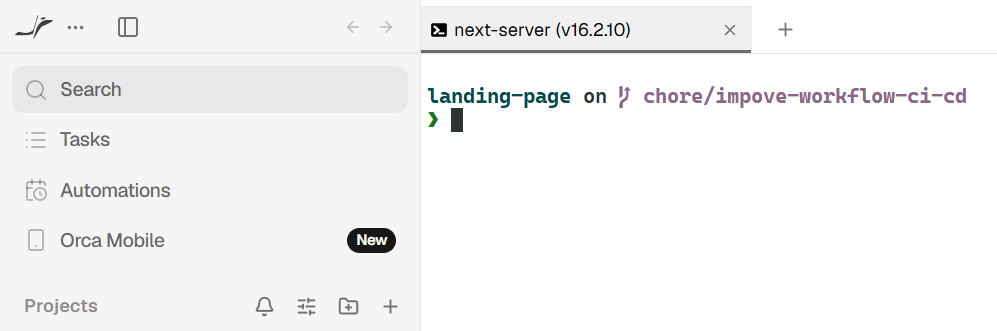
The first thing I noticed was how the interface separates Tasks, Automations, and Projects. It is a simple distinction, but a useful one: work to do stays separate from repeatable routines, while each project keeps its broader context.
Break work into clear, independent tasks
I try to turn larger goals into tasks with outcomes I can verify. A well-scoped task makes it clear when to review the result; a task that is too broad can hide assumptions that have not been agreed on.
I also pay attention to dependencies. If one task cannot start until another decision is made, recording that relationship helps reduce waiting and rework.
Automate selectively
Automations are appealing because they can cut repetitive steps. I have learned to automate only workflows that are already clear, with specific inputs and results to check. If the process is still ambiguous, automation just repeats that ambiguity faster.
Project context still matters
Tasks and automations do not replace project context. When I return to a piece of work hours or days later, I still need to know which project the terminal is in, its current state, and what changed most recently.
Integration is still real work
When a task is marked complete, the work is not over. I still review the changes in the context of the project, try the main flow, and check whether any assumptions drifted from the original goal.
Orca helps me keep the work organized, but the final quality still depends on review and integration. A completed task is not a reason to skip those steps.
When does Orca help most?
For me, Orca is most useful when a project has several small tasks to track, repeatable workflows that can be clearly described, and a need to keep the terminal close to the work context. If the desired outcome is still unclear, adding another tool or automation will not solve that ambiguity.
What I like most is having one place to orient myself, then return to the project and task that need attention. Orca makes my workflow easier to follow; setting clear goals and checking the results are still up to me.